
Improvements
Deductions Reconciliation
-
File Manager: Lot's of exciting new changes to improve working with files within DRM.
-
Users can now preview files directly vs. needing to open the files in a new tab.
-
Users can still choose to preview files in a new tab if desired.
-
Users can now download the files easily in the in-app preview
-
Users can also easily navigate between file previews using arrow buttons
-
Users can edit file metadata with the file preview open
-
-
Miss Log
-
Updated the page to match the latest styling changes to the Transactions page
-
Updated the “select all” pattern to match the new bulk actions in other tables
-
-
Improved the performance and speed of editing file metadata
Promotions
-
Global lift prediction model released
- We now have a new global lift prediction model that is based on all of the data across 100's of customers in our system. This enables anyone to use predictive lift without requiring 2 years of POS data to be uploaded to Vividly!
- Please contact your account manager if you are interested in trying out predictive lift!
-
For all promotion lines with pricing enabled as part of their fund types, we now show a field called “Compliance” in addition to the existing “Base Price” and “Retail Promoted Price” fields.
- Compliance defaults to 100%, and computes an Average Retail Price (ARP) for the promotion. The formula for ARP is
Base Price * (1 - Compliance) + Retail Promoted Price * Compliance. (If the compliance is 100%, the ARP will be the same as the Retail Promoted Price.) - This feature helps better model promotions that are only run at a subset of retailers, or that are only activated for a certain subset of shoppers (think a 3 for $5 deal), and the associated ARP with such deals.
- The calculated ARP value is then fed into the downstream lift prediction model for additional accuracy.
- Compliance defaults to 100%, and computes an Average Retail Price (ARP) for the promotion. The formula for ARP is

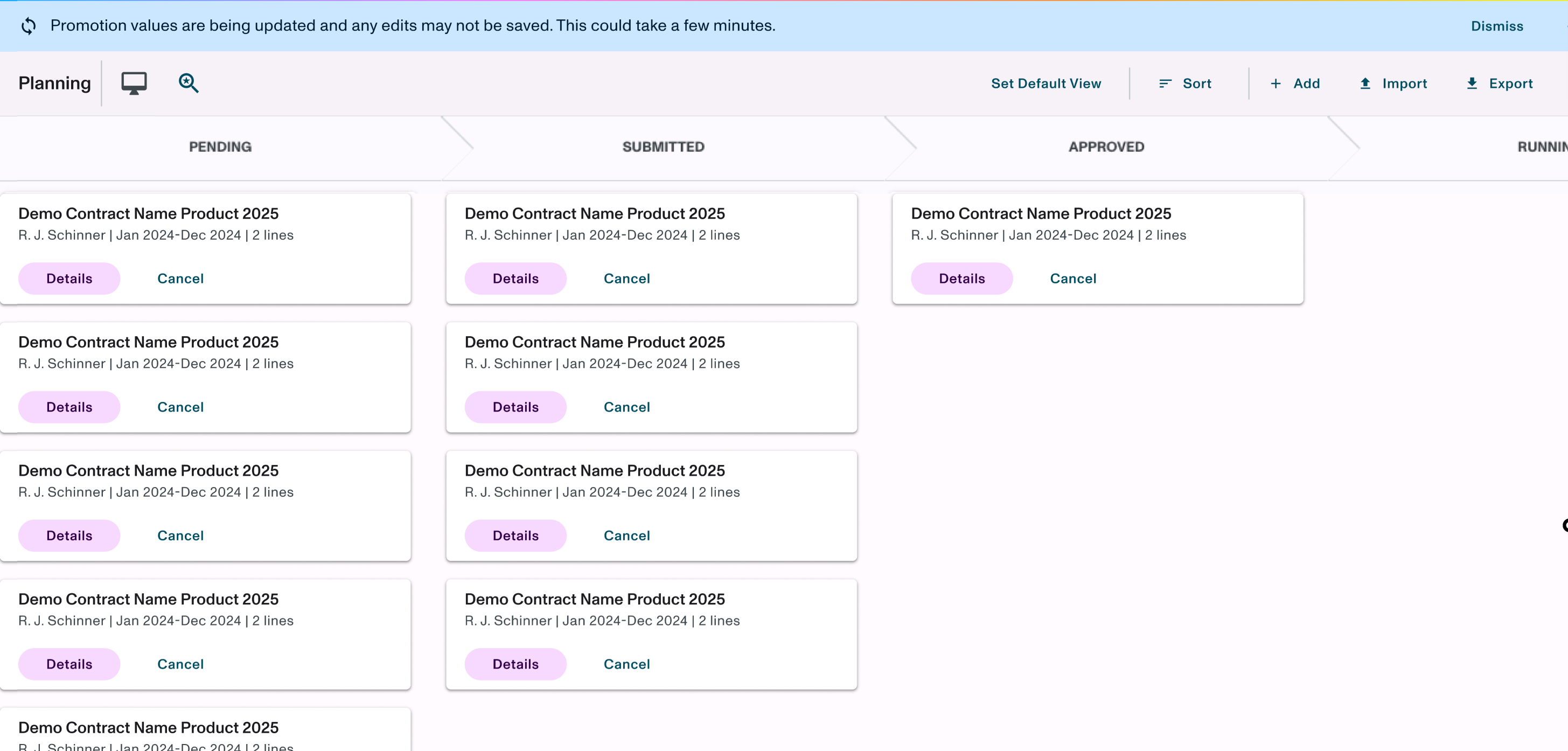
- Implemented a banner and updated snack bar for the user-controlled refresh for volume and spend to drive visibility when it’s in progress.
Forecast
-
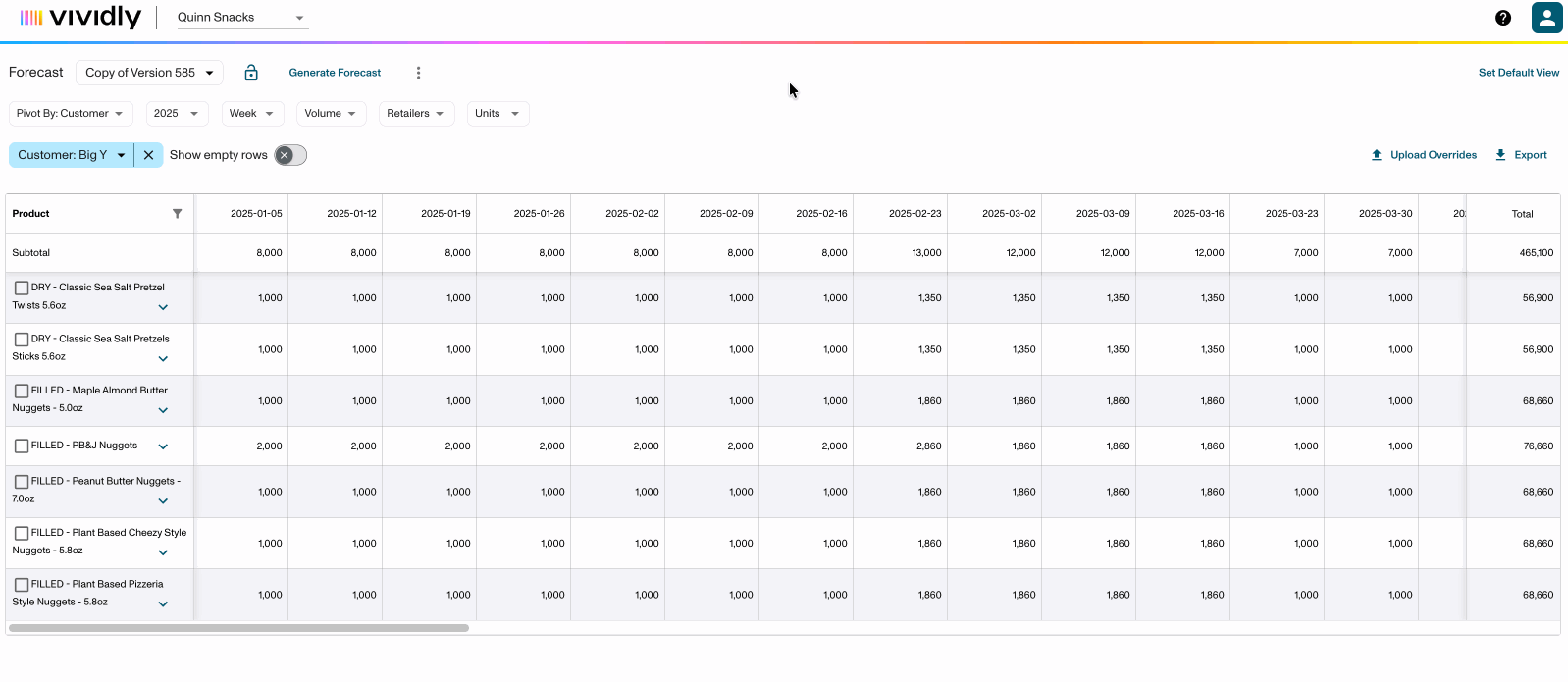
Improved UX around the Forecast lock state so that the bulk override checkboxes are removed when versions are locked. Users are unable to conduct edits to the forecast during a locked state, so they wouldn’t expect to see the ability to enter the bulk override workflow.
Analytics
-
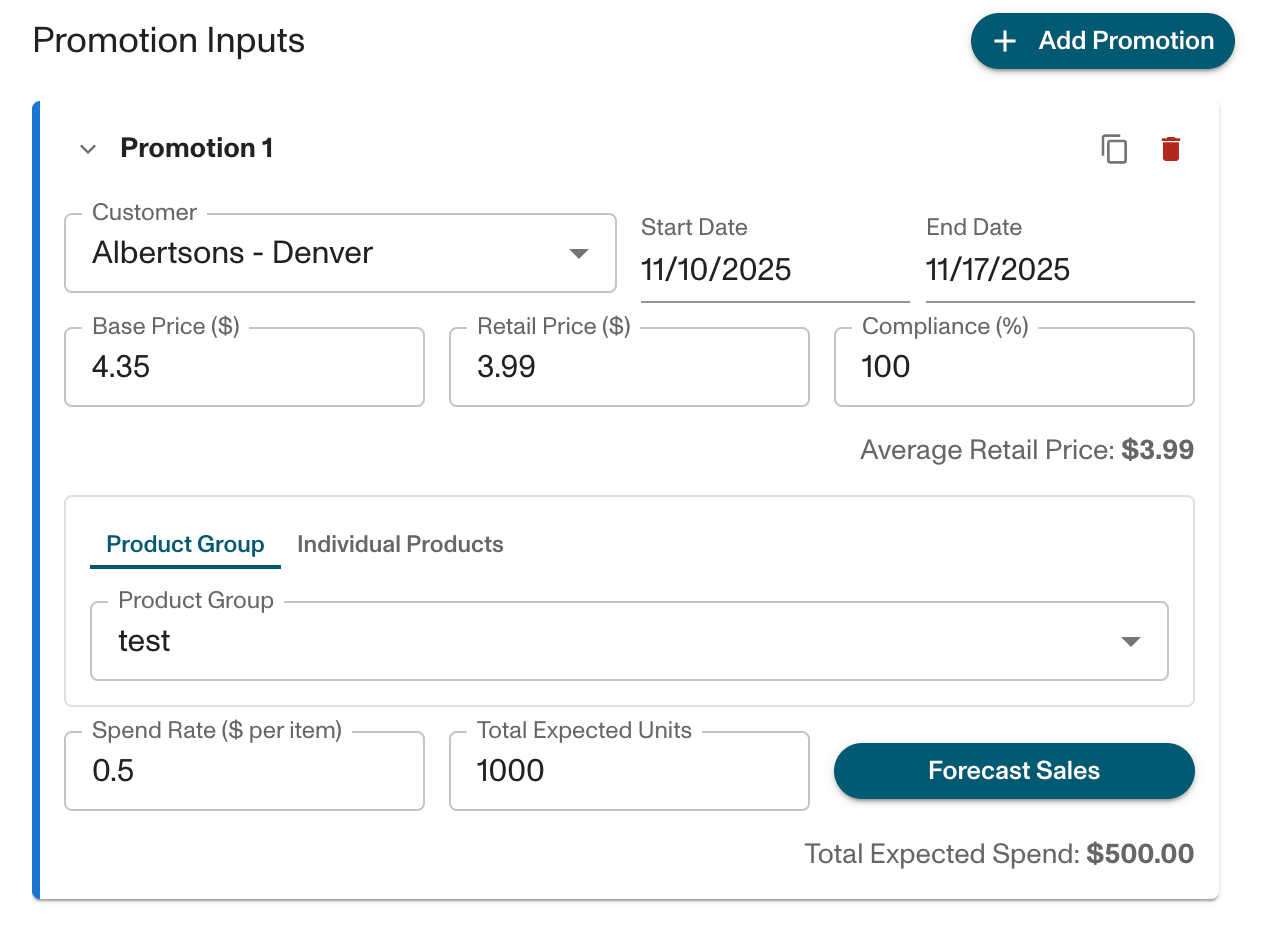
We have added a spend rate, total expected units, forecast sales button, and a text field for total expected spend to each promotion card in predictive analytics.
-
Each of these function in the same way the analogous fields in the promotion creation/editing screen do.
-
-
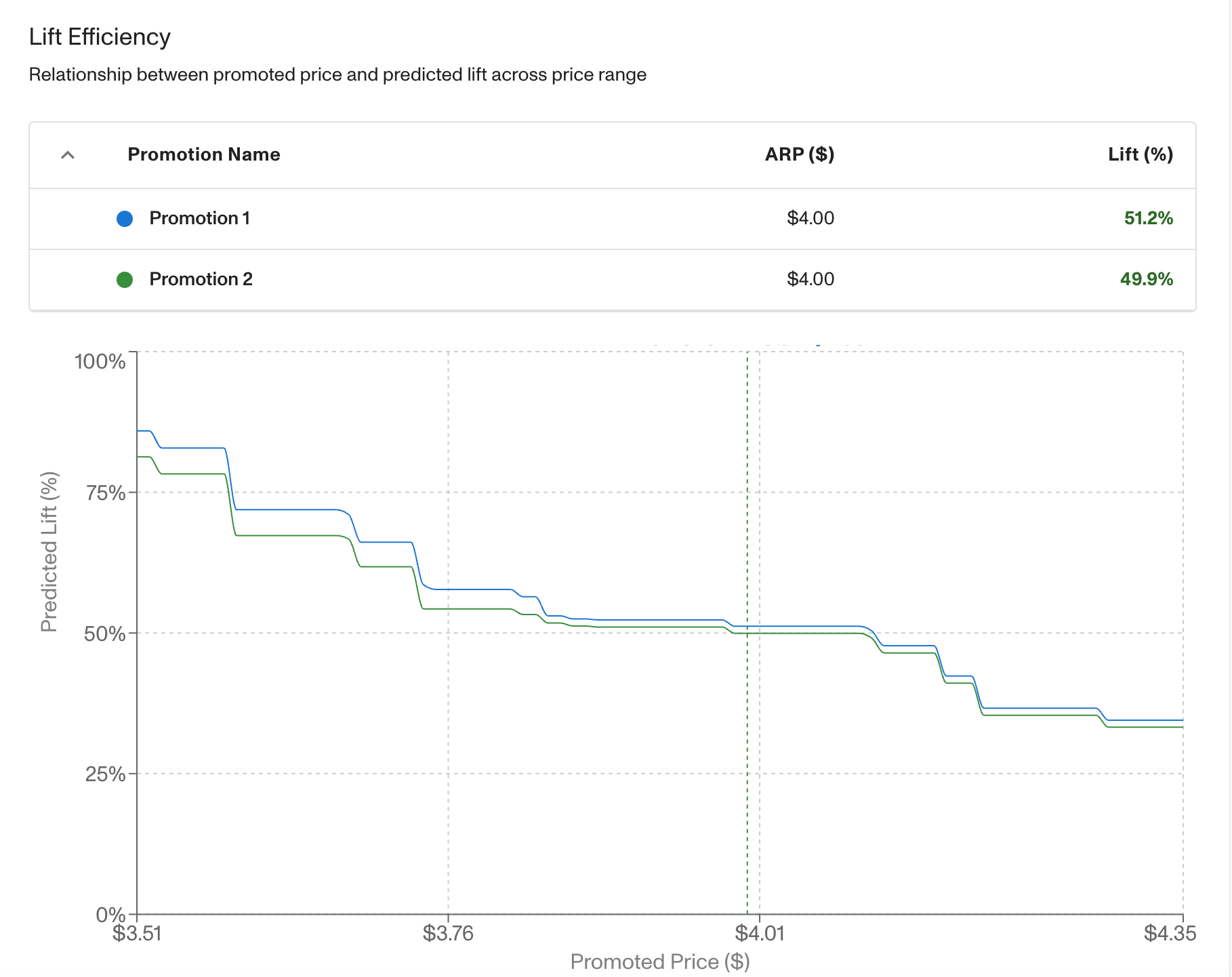
We have added a table in predictive analytics where users can view the metrics of each draft promotion above the lift efficiency graph.
APIs
-
Customer Creation API improvement
-
Users can now set “Is Direct” on customers through our customer create endpoint
-
Users can search by Customer number
-
-
Added additional data points to the Promotion endpoint
Bug Fixes
Deductions Reconciliation
-
Fixed an issue where using auto-fill would visually stretch out the invoice table
-
Fixed an issue where users could scroll to the right and see the file manager even if it was closed
-
Fixed an issue where users would see a message about product groups being updated when switching between invoices
-
Fixed an issue where Assigned User in the transaction profile wouldn’t appear the first time visiting the transaction
-
Fixed an issue with search in the Assigned User dropdown
-
Fixed an issue where scanning could error out for UNFI West MCB and Kroger files when used in conjunction with auto-fill
Analytics
- Fixed the customer filter order in Promo Analytics 2.0 and now it should be alphabetical.
Business
-
Fixed issue in Revenue Dollars where uploaded data was not rounding. Now values are rounded to the hundredths place.