
New Features
Promotions
-
We’ve improved the experience of planning trade by percent, a common and essential workflow in CPG. This approach helps brands align spend with sales impact, simplifies retailer negotiations, and reflects how trade is often structured.
-
This is phase 1 of this project which includes the following:
-
% Discount Off List Cost field is now saved in promotion planning. Activity Log will track changes made to this field from the editing mode.
-
Users can upload promotions leveraging this field. A New column is now included in the export with % value.
-
Forecast.
-
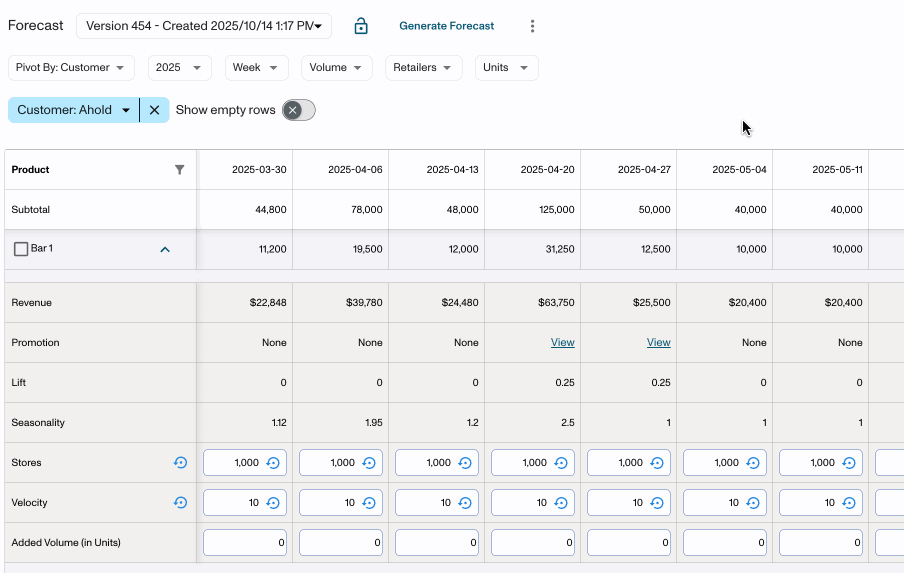
We’ve introduced the ability to lock and unlock forecast versions. This provides you with the ability to control when overrides and adjustments to Added Volume can be made to any forecast version. By locking versions, you can:
- Protect finalized numbers during critical planning windows
- Prevent accidental or unauthorized edits
- Ensure forecast stability for reporting and analysis
Improvements
Revenue Dollars
-
Guardrails to prevent user error
-
We are preventing users from mistakenly importing data with upload dates that are years into the future (previously this had caused the forecast and budgeting exports to crash).
-
We will be limiting users to upload data 1 year into the future based on the current date. If this is attempted. users will receive an error in Step 3 of the upload workflow “Upload date cannot be more than a year in the future”. (Note that there are not yet guardrails implemented around the manual data entry, just the file upload.)
-
Deductions Reconciliation.
-
File Classification (Backups vs. Remits)
-
Users can now classify files as either Backup or Remit when uploading.
-
Currently, all newly uploaded files default to “Backup”.
-
A future release will introduce auto-detection that identifies file types automatically using content scanning.
-
-
Improved File Attachment Display
-
Transactions now display separate counts for Backups and Remits.
-
This makes it easier to understand which types of files are associated with a transaction at a glance.
-
-
Auto-Attach Behavior
-
Files uploaded directly from a transaction profile are now automatically attached to that transaction.
-
Previously, users needed to upload files, then manually attach them from the “All Files” view.
-
This automation saves time and ensures files stay properly linked to the right transaction.
-
-
File Manager Experience Improvements
-
The File Manager can now remain open while performing actions on the transaction profile.
-
Users no longer need to close the file manager to edit invoices or invoice lines.
-
-
Activity Log Updates
-
The Activity Log now records deletion events for the recently added bulk delete action, improving auditability and transparency.
-
Promotions
-
Default Views
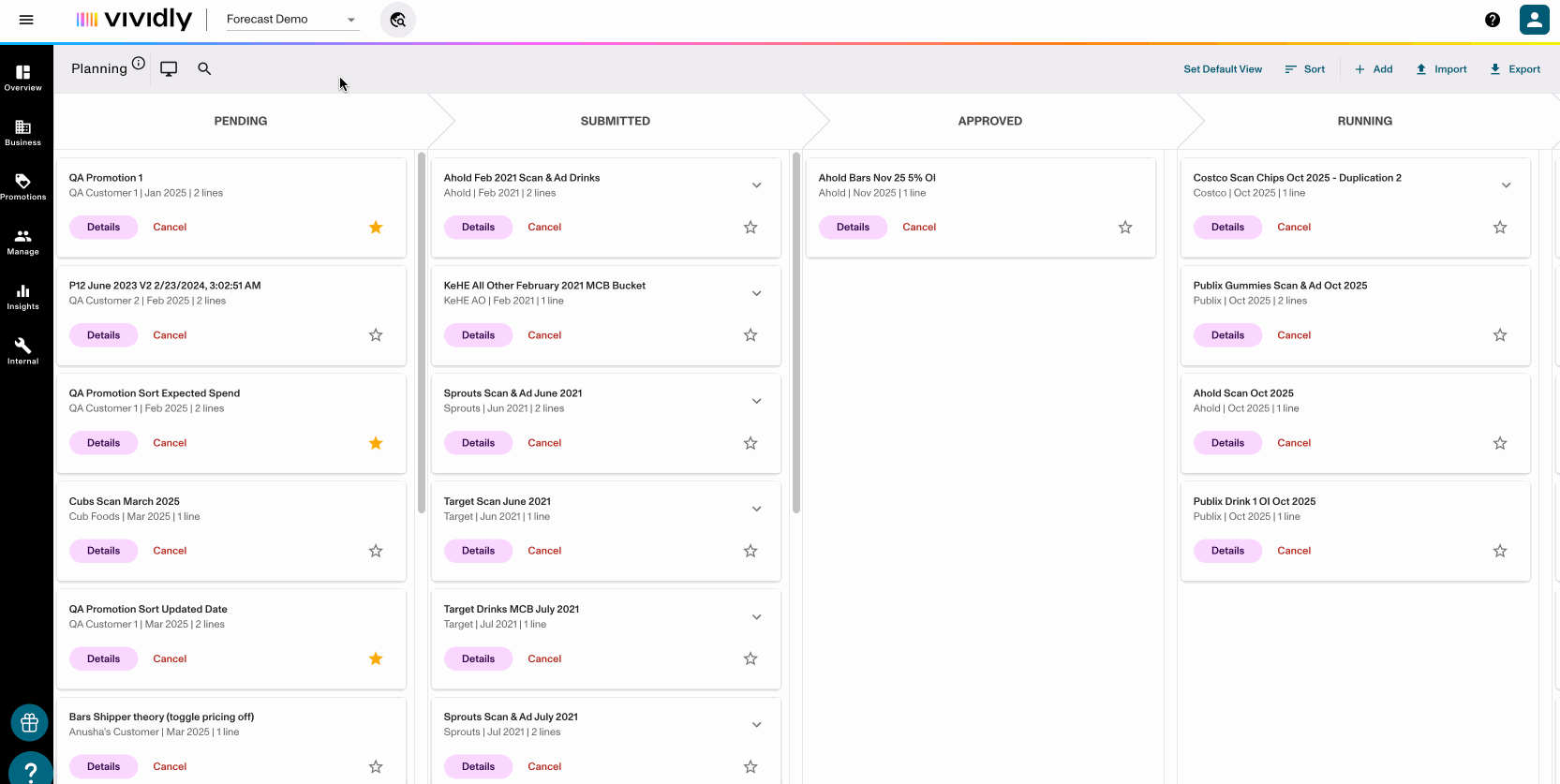
- Users can now save advanced search selections and views within Promotion Planning (e.g. as a sales manager, I only want to see my accounts for certain fund types in the List view).
-
Advanced Search Filtering
-
Restrictions around filter selections have been removed (previously limited to 10 selections).
-
Keyed in searches will remain after selections are made.
-
Dropdown display limits have increased from 20 to 50.
-
Analytics
-
New Promotion Analytics Page
-
Launched the new promotion analytics 2.0 page. All clients were moved to the new page on 10/23
-
We’ve refreshed the promo analytics page with a cleaner, faster, and more flexible experience. You’ll notice improved filtering (including multi-selects), the ability to hide filters and columns, and new hierarchical viewing options for customers and products. We’ve also improved performance and added a new beta date range option called Promotion Line Duration. The data itself hasn’t changed - just a smoother, more intuitive experience.
-
-
Predictive Analytics
-
Added a copy button in predictive analytics to copy draft promotions
-
Other
-
New updated fund type settings tab!
-
Launched the new fund type settings tab (formerly account assignment). All eligible clients were ported to the new page on 10/23. This new page has a better look and feel and easier editing of the data.
-
Bug Fixes
Deductions Reconciliation
-
Fixed an issue where filtering will show no results if the user was not already on the first page of results
-
Fixed an issue where commenter name was no longer visible in the invoice line comments.
Promotions
-
Fixed a bug where clearing the Base and Retail Price fields in Step 2 of Promotion Planning would not save. This however, cannot be cleared by uploading null values via the uploader.
-
Fixed a bug in the promotion email generation workflow where the promotion dates were off by 1 day, reflecting UTC timezone for new and cancelled email templates. This did not match the promotion details timeframe. Note that this is only impacting Solaris AFH.
Analytics
-
Fixed an issue where the fund type was showing as an ID versus the name in Promotion Analytics 2.0.