
What is the Invoice Header Table?
The Invoice Header Table is the second level of information inside a DRM transaction. Each row represents one individual deduction item from the check remit — called an invoice header. One transaction (check) typically contains multiple deductions, and each one appears as its own row in this table.
Understanding this table is the foundation for everything that follows: scanning invoice lines, running the Auto-matcher, bulk editing, and clearing deductions all start here.
Note: If you are using the Individual Upload Method instead of the Lump Sum Method — meaning one transaction per deduction — you will only have one line in the Invoice Header table.
Where to Find It?
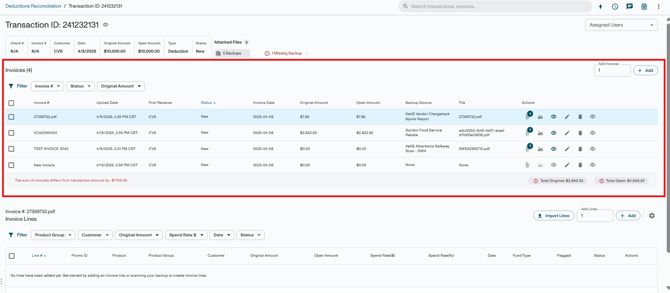
Open any transaction in Business → Deduction Reconciliation. The Invoice Header Table appears inside the transaction, listing all invoice headers created for that check.
Key Fields

Each row in the Invoice Header Table represents one deduction item and includes the following fields:
-
Invoice # — The invoice number as it appears on the check remit. Used to identify the deduction and link it to backup documentation.
-
First Receiver — The retailer or distributor associated with the specific payment the deduction came in on. This may be different from the customer the deduction is actually related to, which will instead be reflected in the Invoice Lines section.
-
Invoice Date — The date of the deduction as recorded on the remit.
-
Original Amount — The full value of the deduction as entered at creation. This does not change after the invoice header is created.
-
Open Amount — The portion of the invoice not yet resolved. Decreases as invoice lines are cleared or written off.
-
Backup Source — The scanning template associated with this invoice's backup file. Auto-populated by Auto Fill when files are attached via Auto-Assign in most cases.
-
Status — The current state of the invoice header, reflecting the resolution progress of its invoice lines.
-
Backup Attached — Indicates whether a backup file is linked to this specific invoice (separate from the transaction-level backup flag).
The Balance Indicator
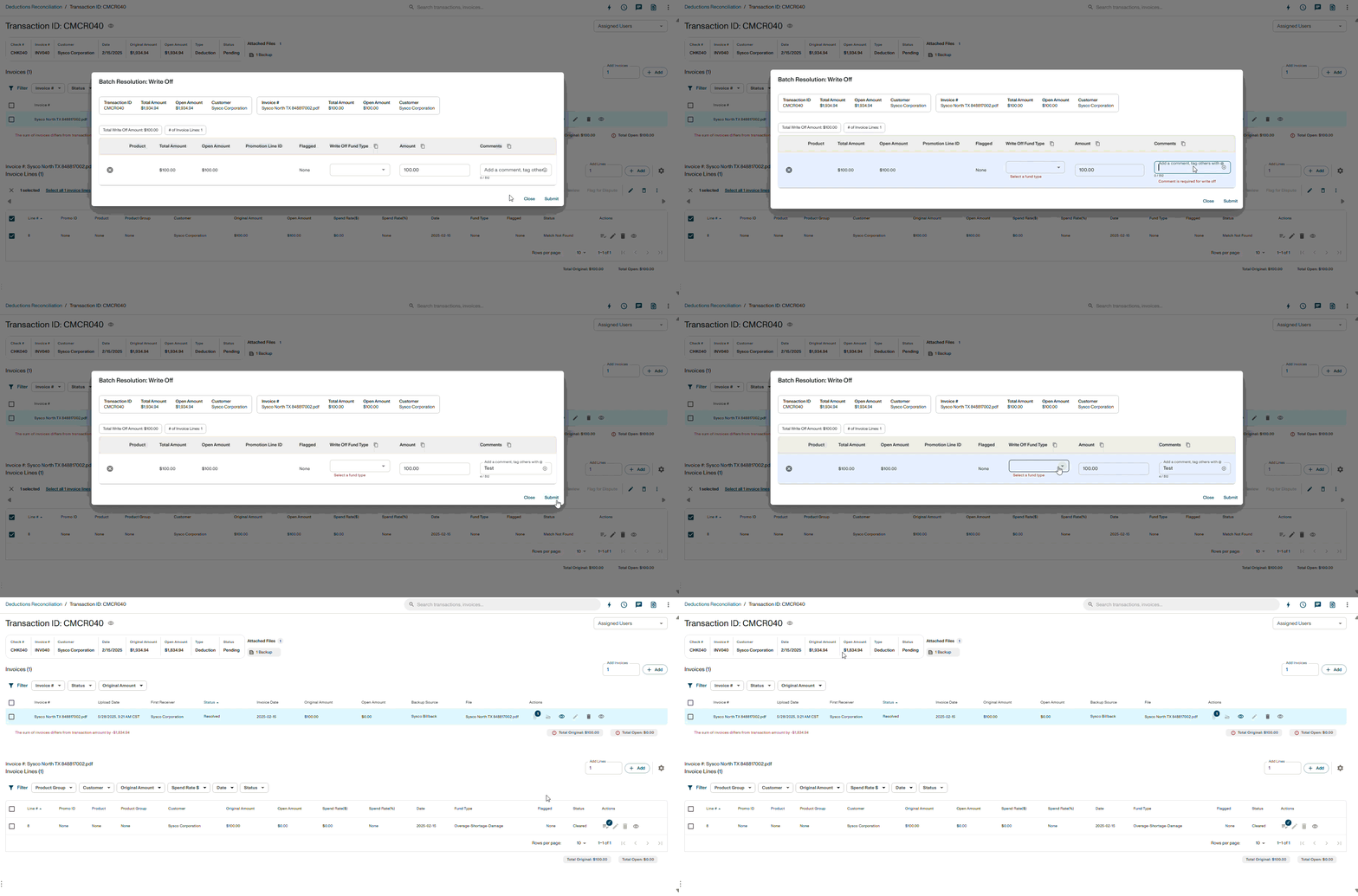
At the top of the Invoice Header Table, DRM shows a difference between:
-
The transaction's Original Amount — the total value of the check, and
-
The sum of all invoice Original Amounts you have created so far.
Use this indicator to confirm that your invoice headers account for the full check. When the difference is $0, your invoice coverage matches the check total and you're ready to proceed.
Note: If the difference is not $0, you likely have missing invoice headers — check the remit to identify any deduction lines not yet created.
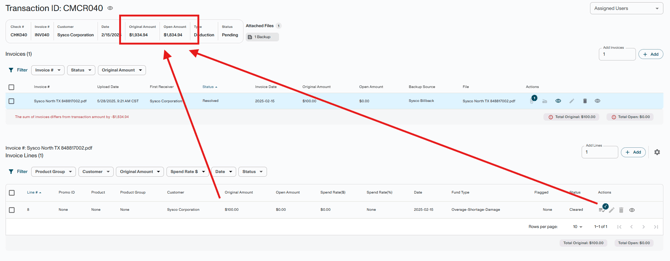
Navigating the Table
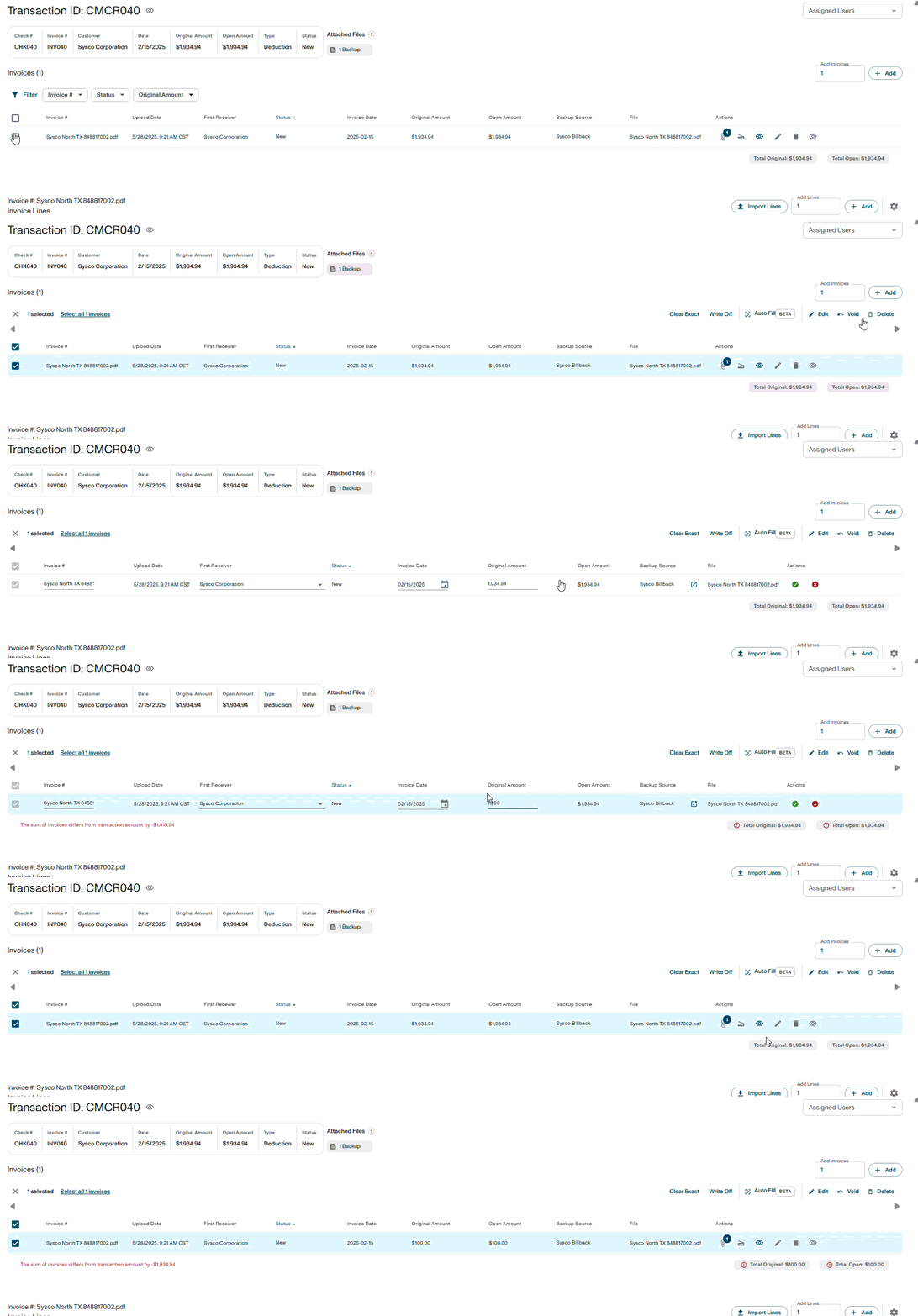
Available Actions From the Table
- Create Invoice Header using the + Add button — Manually add a new invoice header row.
- Edit using the pencil icon — Update individual header fields.
- Link / Unlink Files using the paper clip icon — Attach or detach backup files from specific invoice headers.
- Delete using the trash can icon — Remove invoice headers.
Selecting Headers
Check the box on one or more rows to enable bulk actions. This allows you to:
- Edit fields across multiple headers simultaneously (such as Invoice Date or Backup Source)
- Mass delete
- Mass void
Selecting rows also enables the options to:
- Clear Exact
- Write Off
These actions should only be used at the Invoice Header level when the full deduction amount can be cleared:
- To a single promotion line, or
- Directly to the same GL account
This is recommended only when:
- No fees need to be broken out
- Amounts do not need to be split across multiple promotions or GL accounts
Note: To delete an invoice header, there cannot be any child invoice lines associated with it. Any existing invoice lines must be deleted first, which may also require reversing any related resolution activities.
Key Terms
-
Invoice Header — A single deduction item from a check remit; one row in the Invoice Header Table.
-
Original Amount — The full value of the deduction as recorded on the remit. Does not change after creation.
-
Open Amount — The unresolved portion of the invoice. Decreases as lines are cleared or written off.
-
Backup Source — The scanning template associated with the backup file for this invoice.
-
Balance Indicator — The UI display showing the difference between the check total and the sum of all invoice header amounts (Comparison between Original and Open amounts).
- First Receiver — The retailer or distributor associated with the payment.