New Features / Improvements
Budget
-
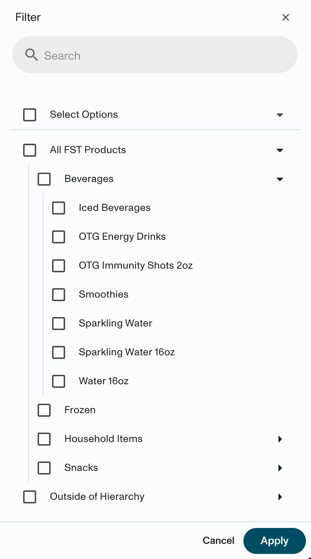
Minor design improvements to the hierarchies filter drawer to make navigation easier. We’ve made updates to the font, spacing, and added vertical lines to help drive more visibility around the structure around hierarchies. The new default state of the filter will reflect the first layer, instead showing it completely expanded. These changes will be available in all areas of the application where these filters are present.
BEFORE:
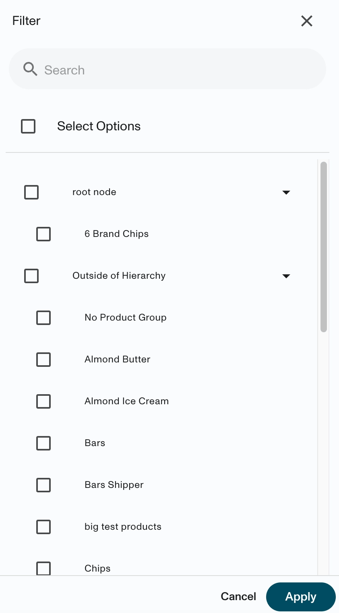
AFTER:
Forecast
Forecast Edit Visibility - Link to Article
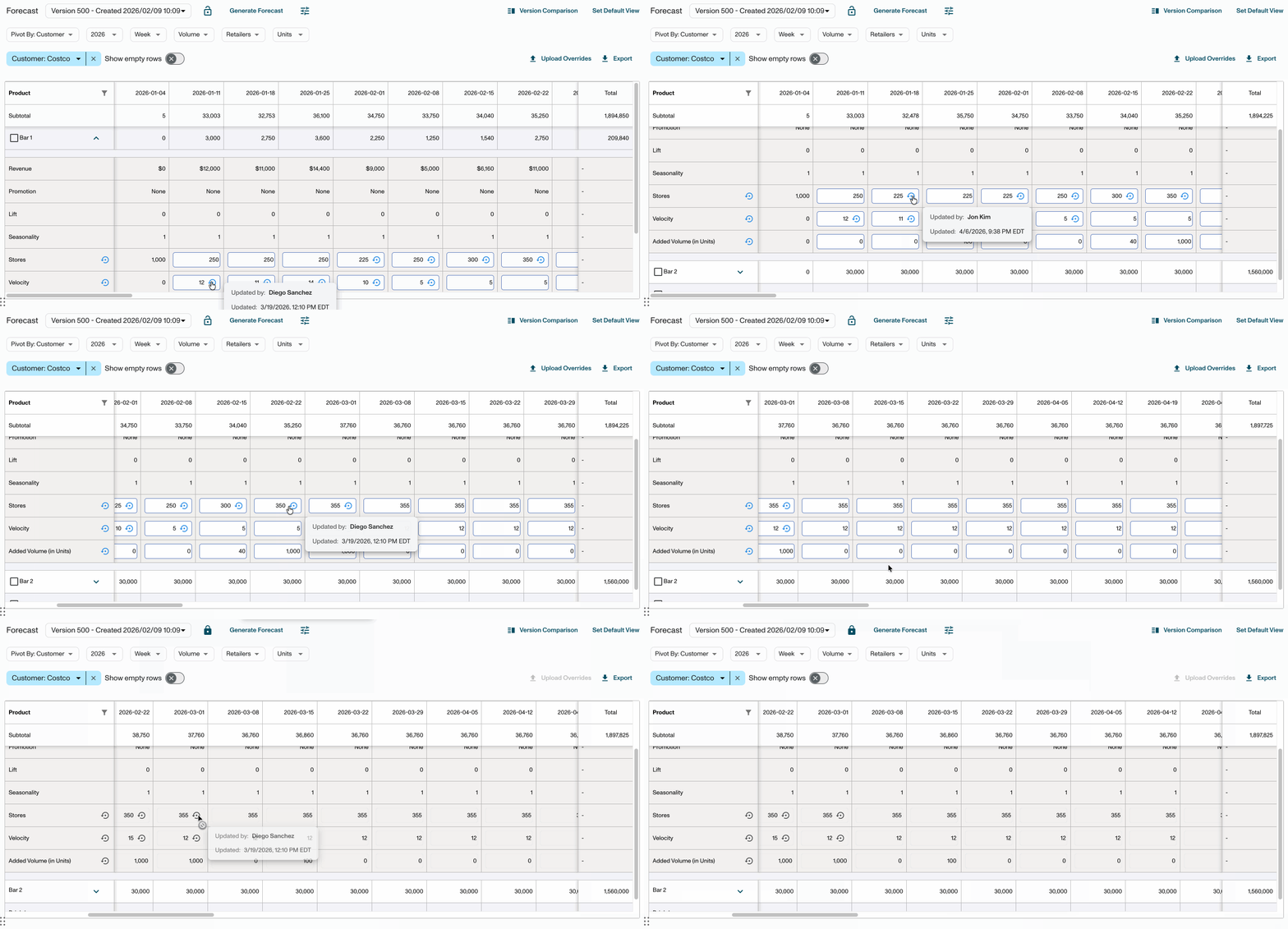
We’ve added more visibility around who’s making adjustments to the forecast! Now when you hover over manual overrides, you will see the user who has entered them for Store Counts, Velocity, Base Units (AOB), and Added Volume. This will be reflective of edits made from individual, bulk and uploaded overrides.
-
This will be present for locked and unlocked versions, as well as the All-Other Bucket view. This will also appear in historical versions.
-
Popovers will reflect the viewer’s timezone. They display the most recent adjustment per week. When multiple changes occur in the same week, the popover reflects the latest modification. Note that entering ‘0’ for Added Volume counts as an adjustment!
Forecast Override Uploads
- We now support negative values for Base Units for All-Other Bucket customer types. We have always supported this in the table UI, but did not before in the uploader. This will help support users when needed to stabilize forecast trends.
Other
-
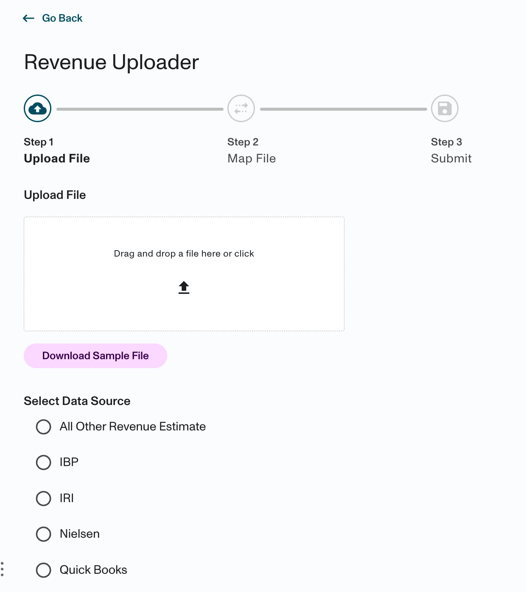
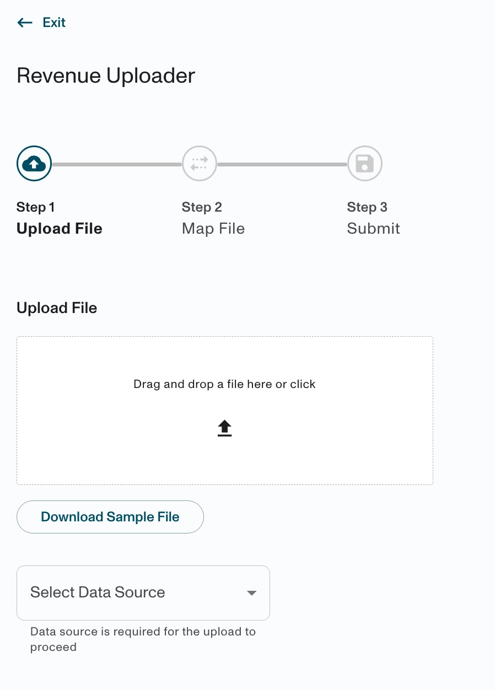
We’ve made some small design improvements to the uploader experience! Similar to what we’ve done with the promotion workflow in the past, we’ve made the navigation buttons sticky, updated the stepper and header to clear up space, and updated a few components to make things more consistent with the rest of the application. These changes will be reflected in all uploader workflows - revenue dollars, pos data, promotion, forecast overrides, deduction spend etc. Functionality has remained the same.
BEFORE:
AFTER:
-
You can now see labels displaying the Environment Name on
TrainingandBeta. When These subtle indicators will help you quickly orient themselves and avoid taking wrong actions.