
How to Aggregate Similar Invoice Lines:
-
Click on the gear icon under the Invoice Lines table
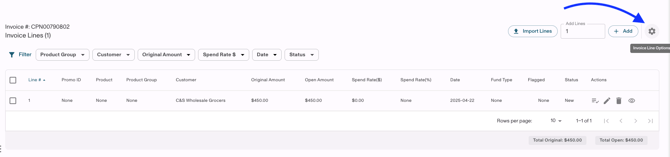
-
Enable "Aggregate Similar Lines"
- Invoice Lines are aggregated if the below fields are the same:
- Customer
- Product Group
-
Date (Month/Year of Invoice Line Date)
-
Fund Type
-
Spend Rate ($)
- Spend Rate (%)