
Overview
The Advanced Search feature in Vividly's Promotion Planning module is a powerful filtering tool that allows users to quickly narrow down potentially thousands of promotions to a specific subset based on multiple search criteria simultaneously. Unlike the basic text search bar—which requires exact matches and only searches promotion names or promotion line IDs—Advanced Search provides granular filters across numerous promotion attributes including customer, product group, promotion type, month and year, status, tags, attachments, and many more. This capability is essential for users who need to find specific promotions without manually scrolling through extensive promotion lists, especially in large organizations with hundreds or thousands of promotional events each year.
To Use Advanced Search:
-
Navigate to Promotions > Planning.
-
Click the search bar's magnifying glass icon 2x to open advanced search.
-
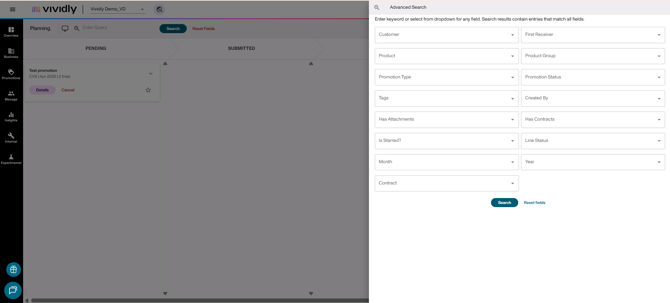
Notice that an Advanced Search profile page will be displayed showing multiple search criteria dropdowns, select your criteria.
-
Click on Search and notice that promos will be filtered according to the selected criteria.
Tips & Best Practices
-
Narrow your search with multiple criteria: You can filter on > 1 dropdown menu to narrow down your search to get precise results.
-
Check all the columns: If you are in the Columns view and don't see your promotion, you may need to scroll to the right view the Completed status column.
- Advanced Search pre-filters the year to the current, previous, and future year.